# Calendar
> Use the personal LearnHouse calendar to see assignment deadlines, chapter releases, course starts, podcast episodes and live sessions by month or agenda.
The calendar shows each signed-in member the dated things in your organization that concern them: assignment deadlines, chapters that open or close, course start dates, course updates, certificates, new podcast episodes and live sessions. Every item links to the page where you act on it.
The calendar is personal. Two learners in the same organization see different calendars, because each one only shows the courses they follow and the content they can open.
> The calendar page itself is available on every plan. Some kinds of events follow their own feature: new episodes need podcasts, and live sessions need [Live Sessions](https://docs.learnhouse.app/enterprise/live-sessions).
## Opening the calendar
Click the calendar icon in the top bar of your organization's site, or press `g` then `e`. You can also search for **Calendar**. The page lives at `/calendar`.
You need to be signed in. Visitors who are not see **Sign in to see your calendar**.
## Month and Agenda
Switch between the two views with **Month** and **Agenda** in the top right. The calendar remembers the view you picked in this browser.
- **Month**: a grid of the month. Each day shows up to three items, then **+N more**. Click a day to list all its items under the grid. Today is selected when the page opens.
- **Agenda**: every day of the month that has something on it, in order, with a status for each item.
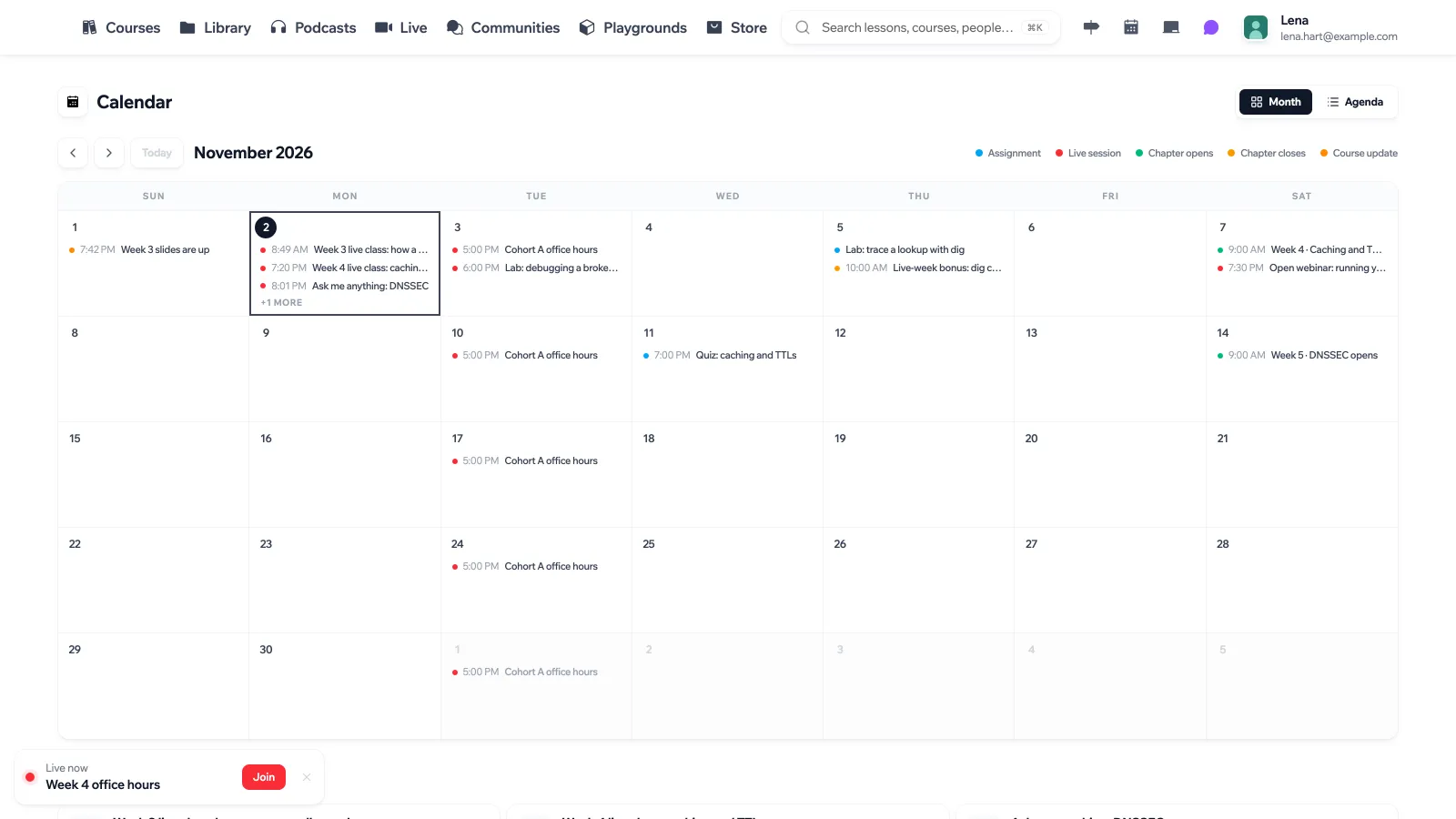 Use the arrows (or `[` and `]`) to move to the previous or next month, and **Today** to come back to the current month. The legend above the grid lists the kinds of items present in the month you are looking at.
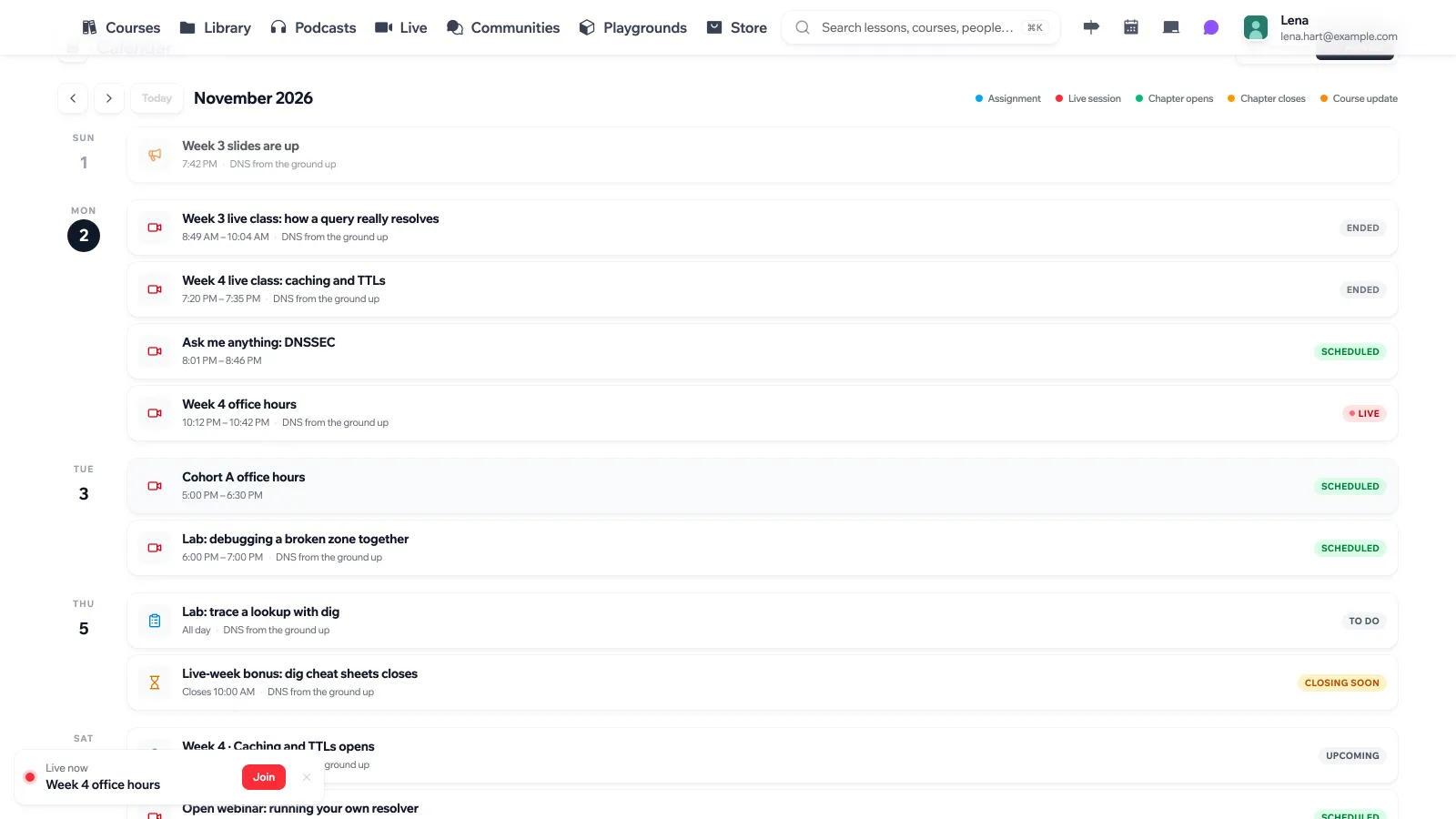 Times are shown in your own time zone, and the page says which one at the bottom. All-day items, such as an assignment due on a date without a time, stay on their date wherever you are. The calendar refreshes itself every minute.
## What shows up
Course items only come from courses you are enrolled in (you started them) or that you author. A public course you never started does not appear.
| Item | When it appears | Statuses |
| --- | --- | --- |
| **Assignment** | On its due date, for published assignments you can open. | **To do**, **Overdue**, **Submitted**, **Late**, **Graded** |
| **Chapter opens** | When a scheduled chapter opens for you. With a schedule based on enrollment, the date is counted from your own enrollment. | **Upcoming**, **Open** |
| **Chapter closes** | When a chapter that is only open for a limited time closes. | **Closing soon**, **Closed** |
| **Course starts** | The start date of a course on a fixed-date (cohort) schedule. | **Upcoming**, **Started** |
| **Course update** | The day an update was posted to the course. | |
| **Certificate** | The day you earned a course certificate. Opens the certificate's verification page. | **Earned** |
| **New episode** | The day an episode was published, for published podcasts you can open. These do not depend on course enrollment. | |
| **Live session** | The session's time, for sessions you can join or manage. Cancelled sessions are left out. | **Scheduled**, **Live**, **Ended** |
Chapter dates only appear for courses that use scheduled chapters (see [Drip Content](https://docs.learnhouse.app/platform/courses/drip-content)). Members of a group with early access to a course see no chapter dates for it, since nothing is locked for them.
## What instructors see
If you author a course or can edit it, its assignments appear on your calendar even before anyone submits. Their status tells you where they stand:
- **Draft**: the assignment is not published yet.
- **To do**: it is published and the deadline has not passed.
- **Closed**: the deadline has passed.
Live sessions you host or manage appear too, including those not open to you as a learner.
## Exporting to another calendar
The calendar page has no export or feed. For live sessions, use **Add to calendar** on a session page, or **Subscribe** on the **Live** page to download an `.ics` file of upcoming sessions. See [Live Sessions](https://docs.learnhouse.app/enterprise/live-sessions#adding-sessions-to-a-calendar).
## API
`GET /api/v1/calendar/org/{org_id}/events?start=...&end=...` returns the signed-in user's events between `start` (inclusive) and `end` (exclusive), as ISO 8601 dates. The range can be up to 400 days, and a response holds up to 2,000 events. API tokens cannot read a calendar, since it belongs to a person.