Managing Communities
Open a community from Communities in the dashboard to change its settings.
General
Community Name (3 to 100 characters), Description (up to 500 characters) and Public Community.
Thumbnail
Upload a cover image: JPG, JPEG or PNG, up to 8 MB. A 16:9 image works best.
Access
| Mode | Who can see and post |
|---|---|
| Public | Anyone can view and participate in discussions. |
| Restricted | Only members of the user groups you link under User Groups. |
Linked Course
Connect the community to a course so its threads show on the course page. See Linking a community to a course.
Moderation
The Moderation tab sets rules that discussions and replies are checked against. Posts that break a rule are rejected with an error and never published. Click Save Changes when you are done.
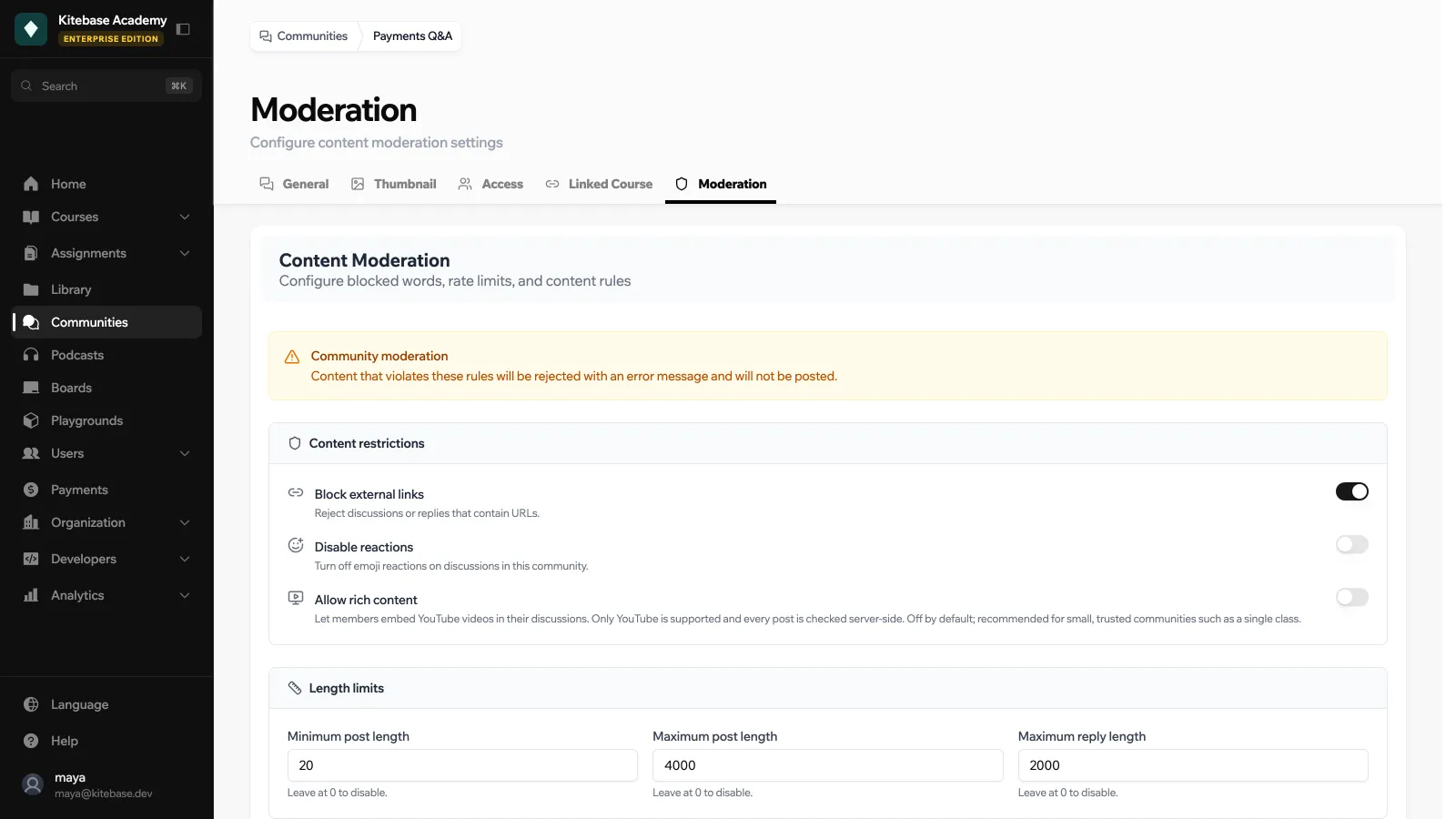
Content restrictions
| Setting | What it does |
|---|---|
| Block external links | Reject discussions or replies that contain URLs. |
| Disable reactions | Turn off emoji reactions in this community. |
| Allow rich content | Let members embed YouTube videos in their discussions. Only YouTube is supported. Off by default. |
Length limits
Minimum post length, Maximum post length and Maximum reply length, in characters. Leave at 0 to disable.
Rate limits
| Setting | What it does |
|---|---|
| Slow mode (seconds) | Minimum wait between posts from the same user. |
| Max posts per user per day | Daily cap per user. |
| Auto-lock stale threads (days) | Lock discussions after this many days without activity. |
Set any of them to 0 to disable it.
Account requirements
| Setting | What it does |
|---|---|
| Minimum account age (days) | Users whose accounts are newer cannot post. |
| Require verified email | Only users with a verified email address can post. |
Blocked words
Add words or phrases one at a time with Add blocked word, or several at once with Batch add words (comma separated). Discussions and replies that contain a blocked word are rejected.
Rules are checked when a discussion or reply is posted or edited. Changing the rules does not re-check posts that already exist.
