Custom Domains
Serve your organization from your own domain, such as learn.mycompany.com, instead of the default LearnHouse address.
Custom domains are shown from the Pro plan on LearnHouse Cloud. Changing them needs a role that can update the organization.
Adding a domain
Add the domain
Go to Developers → Domains and click Add Domain. Enter a domain or subdomain, for example learn.mycompany.com or academy.example.org. If you paste a full URL, the protocol and path are removed.
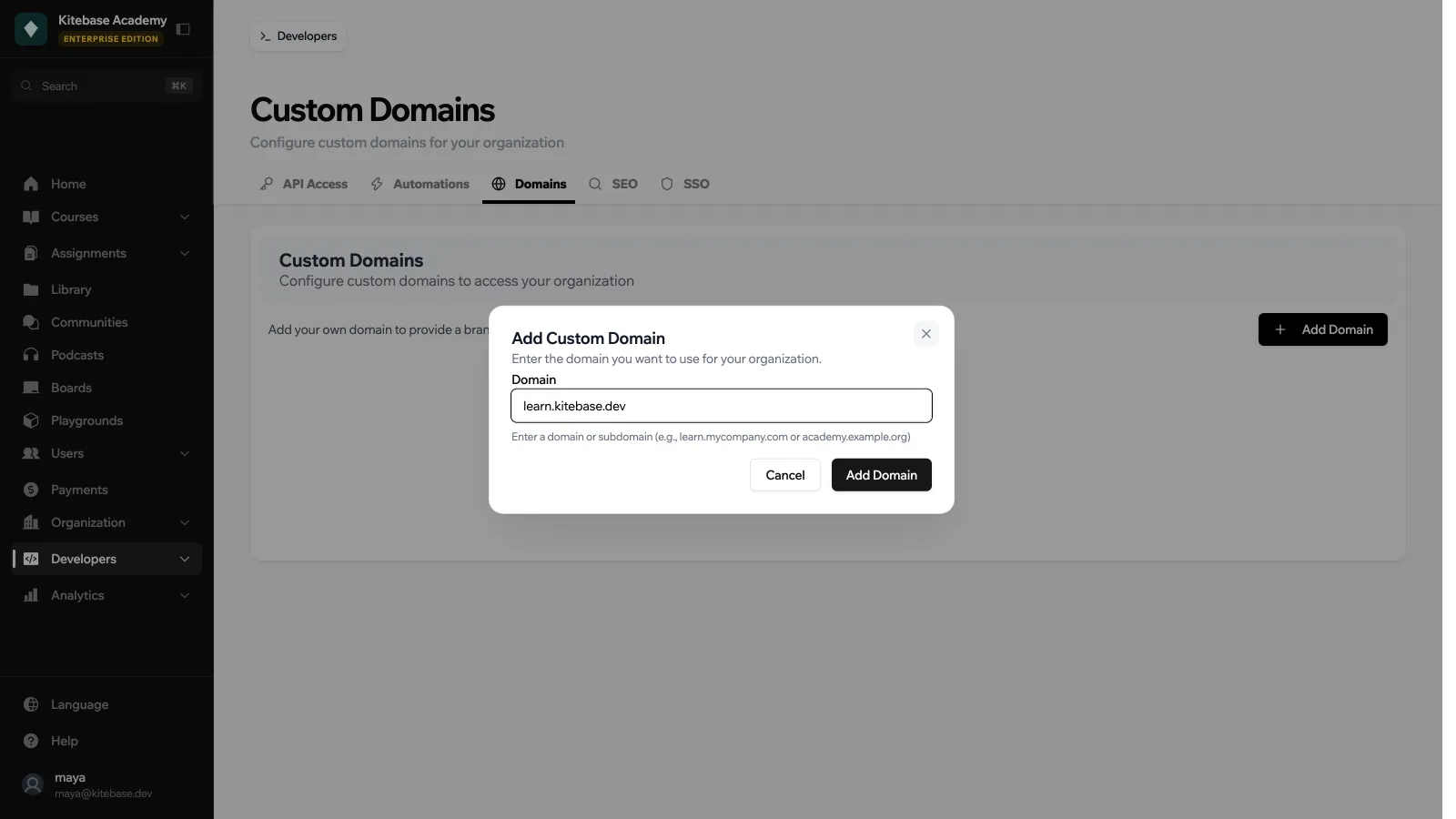
Create the DNS records
LearnHouse shows two records under DNS Configuration Required. Add both at your domain registrar or DNS provider (Cloudflare, GoDaddy, Namecheap and so on):
| Record | Purpose | Host / Name | Value |
|---|---|---|---|
| TXT Record | For verification | _learnhouse-verification (or _learnhouse-verification.<subdomain> for a subdomain) | learnhouse-verify=<token> |
| CNAME Record | For routing | Your domain or subdomain | <your-org-slug>.<platform domain>, for example myschool.learnhouse.io on LearnHouse Cloud |
Use the copy buttons to avoid typos.
Verify
Click Verify DNS. LearnHouse looks up the TXT record. Once it is found, the domain becomes Verified. DNS changes may take up to 48 hours to spread, but they usually show up within minutes. If verification fails, the domain stays Pending and LearnHouse tells you what it could not find.
Check HTTPS
After verification, the SSL Certificate column shows the HTTPS status: SSL Active, provisioning, or a problem with the certificate. Click Check to refresh it.
Statuses
| Status | Meaning |
|---|---|
| Pending | Waiting for the TXT record |
| Verified / Active | The TXT record was found and the domain serves your organization |
| Failed | Verification failed |
To stop using a domain, click Remove. This cannot be undone.
Good to know
- Sessions started on your custom domain are always tied to your organization. See Authentication.
- If another organization added the same domain but never verified it, you can still claim it by completing verification.
- On a self-hosted instance, the CNAME target uses your
LEARNHOUSE_DOMAIN. See Environment Variables.
